
Settings, screen by screen
The page is called Settings in the app.
All VibeStarter settings are in a single page, opened from the Account menu in the top bar or from the command palette. It is split into three groups and ten tabs. A “Search a setting…” field filters all of them. When nothing matches, it shows “No setting found”.
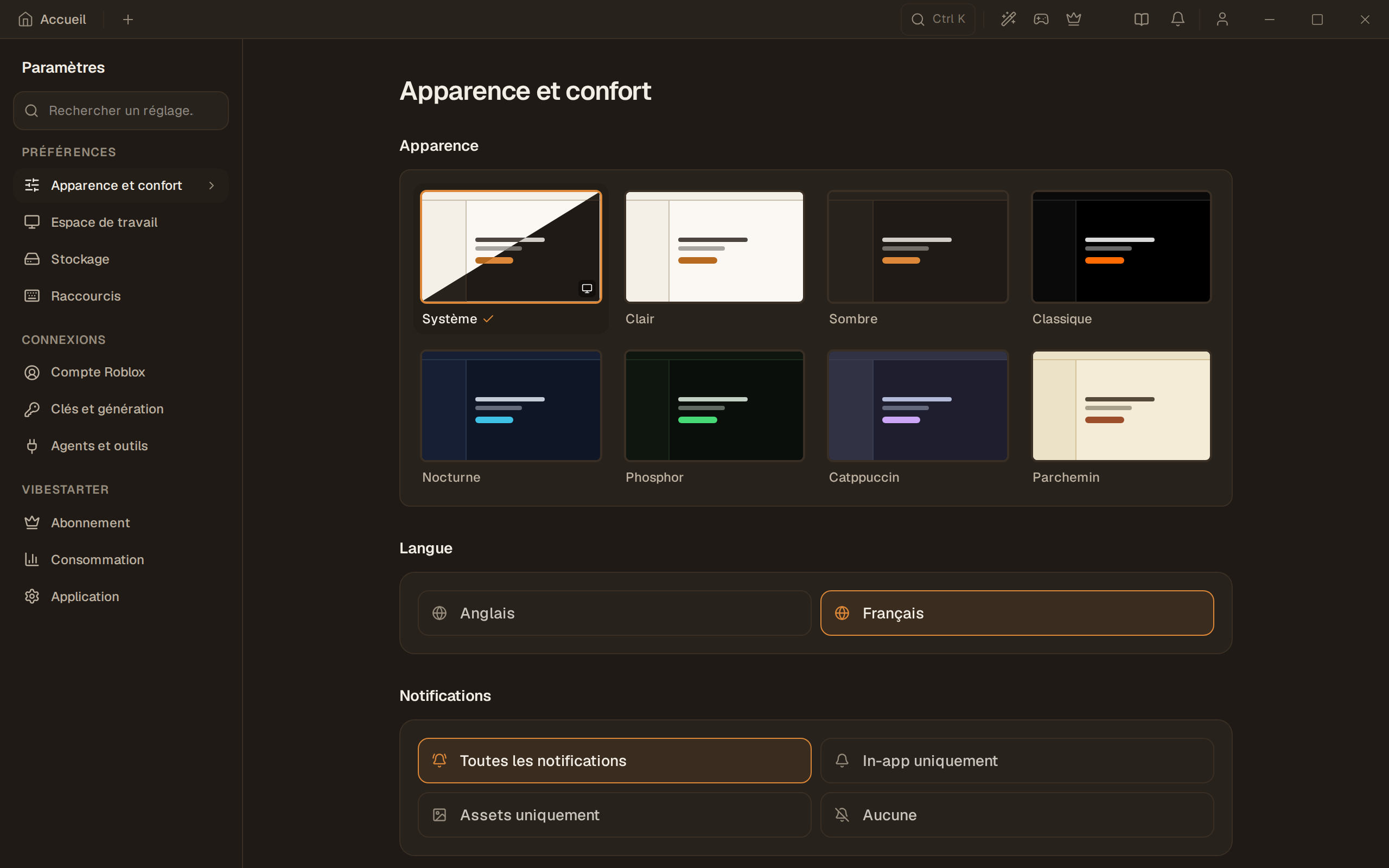
Preferences
Section titled “Preferences”| Tab | Sections |
|---|---|
| Appearance & comfort | Appearance · Language · Notifications · Discord |
| Workspace | Roblox Studio plugin · Agent Behavior |
| Storage | Storage usage and management (with the storage folder) · Asset destination · Downloads · Backups |
| Shortcuts | Command Palette · Agent keybindings · Text macros |
Connections
Section titled “Connections”| Tab | Sections |
|---|---|
| Roblox account | Roblox |
| Keys & generation | Roblox API key · Who pays for generations · Personal API keys |
| Agents & tools | Agent sign-in · CLI Tool Configuration · MCP Gateway |
VibeStarter
Section titled “VibeStarter”| Tab | Sections |
|---|---|
| Subscription | Subscription · Per-game packs (hidden until the per-game services are open) |
| Usage | Usage |
| Application | VM acceleration · Updates · Onboarding |
The VM acceleration section shows the mode of the current environment. On Windows, it offers a diagnostic and help, without automatic activation. You can show the TCG banner again after hiding it. Only the rollback of an identified earlier test remains available, after confirmation. On Mac, virtualization is provided by the system.
Detailed pages
Section titled “Detailed pages”Where to change what
Section titled “Where to change what”| What you’re looking for | Tab | Page that explains it |
|---|---|---|
| Change the theme or language | Appearance & comfort | Themes, language and notifications |
| Check or repair the Studio plugin | Workspace | Connect VibeStarter to Roblox Studio |
| Choose where your assets go | Storage | Where your assets go |
| See where your projects are on disk | Storage | Where your data is on disk |
| Archive or restore your projects | Storage | Go back to a previous version |
| Reassign a shortcut | Shortcuts | Keyboard shortcuts |
| Link your Roblox account | Roblox account | Link your Roblox account |
| Enter a personal API key | Keys & generation | Your API keys and credential store |
| Connect or reconnect an agent | Agents & tools | Connect your AI account |
| See your subscription and credits | Subscription | The Plus and Pro subscription |
| Update the app | Application | Update the app |
| Replay the startup wizard | Application | The first launch |
Limits
Section titled “Limits”- Some sections keep their English names in the French interface: “Rich Presence,” “MCP Gateway,” “Onboarding.” They are quoted here as they appear.
- An error when saving a preference is not always shown on screen. If a setting does not hold after a restart, set it again and check it. This is a known defect.
- A “Set” badge on an API key only means a value is stored: it does not test the key.
Frequently asked questions
Section titled “Frequently asked questions”I can’t find a setting. Use the “Search a setting…” field at the top of the page: it searches all ten tabs at once.
Where are the settings for my published game? They are not in the app: the game is configured on the Roblox side. See Publish your game.
There is no switch to turn off the Studio plugin. That is correct. To stop using it, quit VibeStarter and remove the plugin file from the folder shown in Workspace → Roblox Studio plugin. The Windows uninstaller also removes it. See Uninstall VibeStarter.